To track your water intake on Apple Watch, install Hydra on your iPhone; the watch app comes with it and is free. On the watch, pick a drink and tap a cup to log it, or enter any amount. Add a Hydra complication to your watch face to see your progress at a glance. Each drink's net water is saved to Apple Health.
Set it up, step by step
When I designed the watch app, I had one rule: logging a drink on your wrist should take less time than drinking it. Setting it up takes a few minutes, once:
- Install Hydra on your iPhone from the App Store. The Apple Watch app comes with it, at no extra cost.
- Set your goal on the iPhone. The free version uses a standard 2 500 ml (about 85 oz) goal. With Pro, Hydra works out a personal goal from your weight, sex, activity and climate, the same way as the water intake calculator does.
- Open Hydra on your watch. The ring shows how much you've had today and whether you're on pace for the time of day.
- Log your first drink. Scroll down, choose the drink, and tap a cup.
- Add a complication to your favourite watch face, so you see your progress without opening the app.
- Allow Apple Health when Hydra asks, if you want each drink saved to Health.
Today at a glance: the ring
The first screen is the one you'll see most. A ring fills as the day's drinks add up, with the number in the middle and your goal under it. Below, a short line says whether you're behind, on pace or done for the day.
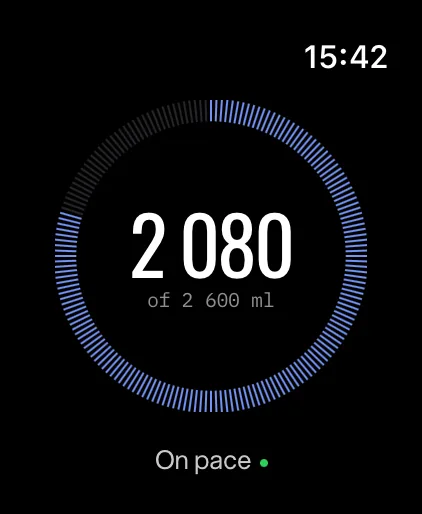
"On pace" matters more than the number. 1 000 ml at 10 in the morning can be a good start; the same 1 000 ml at 8 in the evening means you're behind. The pace takes the time of day into account, so you don't have to do that sum in your head.
Log a drink in one tap
Scroll down from the ring and you get the drink and a grid of cups. Tap the drink to switch between water, coffee, tea, milk and the rest; tap a cup and it's logged. One tap is the usual case, because you mostly drink the same thing from the same glass.
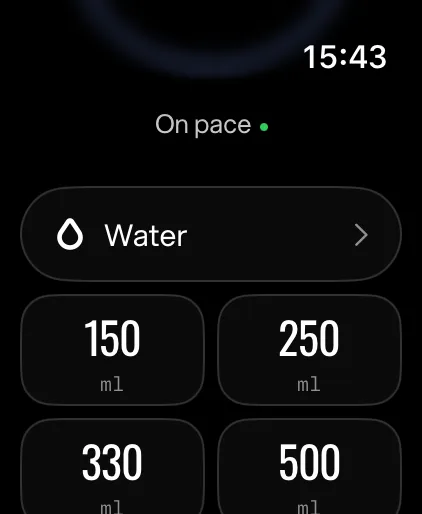
If your glass isn't one of the cups, choose any amount instead and set exactly what you drank. I kept the drink and the cups on the same screen as the ring on purpose: on a watch, every extra screen is a reason to log it later, and "later" is how drinks get forgotten.
See today's drinks and fix a mistake
Tapped the wrong cup? It happens, especially on a small screen while walking. Open today's drinks: each one shows the time, the amount you drank and the water it added to your day. Find the wrong one and remove it, and the ring updates straight away.
Put Hydra on your watch face
The fastest way to check your water is not to open anything at all. Hydra's complications show your progress right on the watch face. They come in six styles, from a small ring that fits a corner to a wide one with the full number and a bar, like on the Modular Ultra or Wayfinder faces.
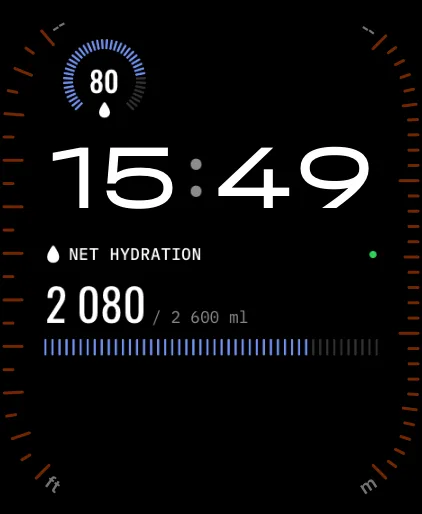
To add one, edit your watch face and choose Hydra in one of its complication slots.
If you chose Sippy on your iPhone, the water drop that fills with your day and changes its face with your pace, the watch shows Sippy too.
What "net hydration" means
You may notice that the ring doesn't always move by exactly what you drank. That's on purpose. Hydra tracks net hydration: every drink is multiplied by how much of it your body keeps, based on a 2016 study that compared 13 drinks.
- Water, coffee, tea, juice and soda count in full. Yes, coffee too: here's why coffee doesn't dehydrate you.
- Milk counts ×1.2 and electrolyte drinks ×1.5, because the body keeps them better. More in does milk hydrate better than water.
- Alcohol counts less the stronger it is: the first beer of the day adds 60% of its volume, wine about nothing, and spirits take water away. Details in does alcohol dehydrate you.
So a 500 ml beer moves the ring by 300 ml, and a 250 ml glass of milk by 300 ml. The number on your wrist is the water that actually counts.
On the watch vs on the iPhone
The watch is built for the moments in between: log, glance, fix. Everything that needs more room lives on the iPhone.
| Task | Apple Watch | iPhone |
|---|---|---|
| Today's progress and pace | Ring | Today screen, Sippy or gauge |
| Log a drink | One tap, or any amount | One tap, widgets, app icon, notification |
| Today's drinks, remove a mistake | Yes | Yes |
| At a glance | Complications, six styles | Home and Lock Screen widgets |
| Goal and its breakdown | Shown in the ring | Set up and explained line by line |
| History, streaks, export | On iPhone | Day to year (Pro) |
What you log on one shows up on the other, so you can log a morning coffee on the phone and a glass of water on the watch at the gym, and the day adds up in both places.
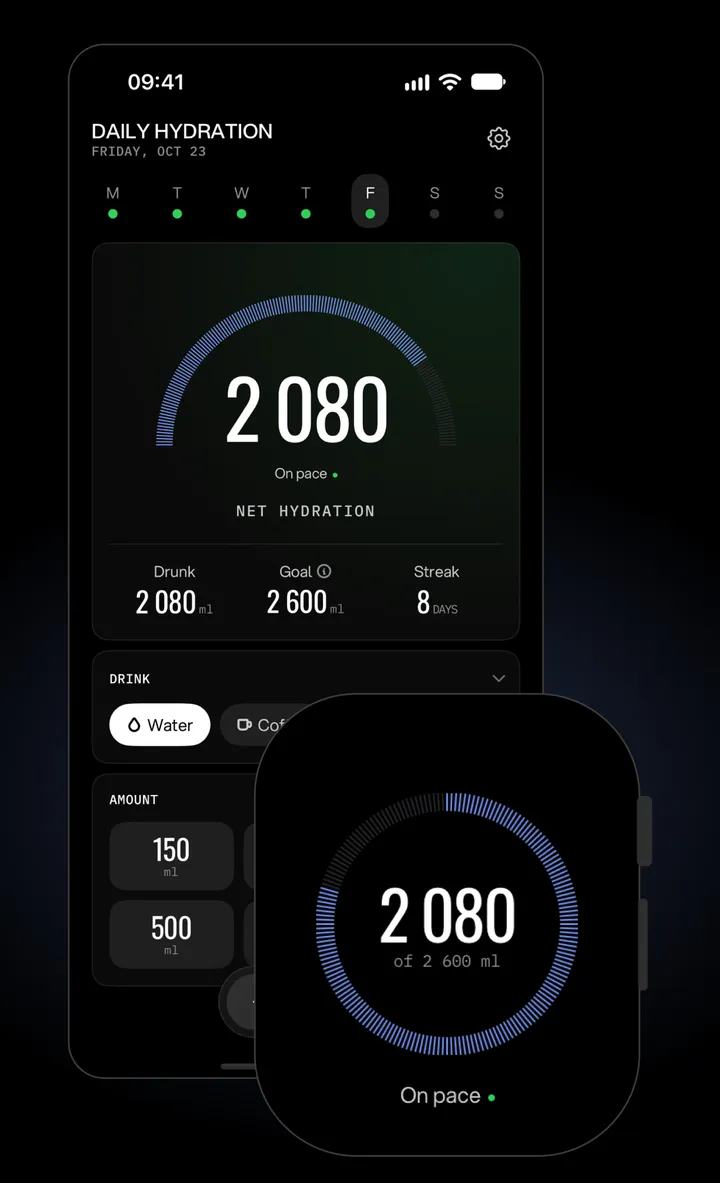
If you train with your watch on, the watch app is also the easiest way to keep up on workout days; I wrote about how much water to drink when you exercise separately.
Apple Health and your privacy
If you allow it, Hydra saves each drink's net water to Apple Health, so a 500 ml beer is saved as the 300 ml that counted, not the full glass. Hydra also reads your weight from Health to keep your goal current when your weight changes.
There's no account to create, no ads and no tracking. The App Store privacy label says "Data Not Collected", and your Health data stays on your device. I built it that way because a water tracker has no business knowing more about you than it needs.
Once logging is a tap away, the rest is habit. If you want ideas for the habit part, I collected the ones that work in how to drink more water.
Log water from your wrist
Hydra's Apple Watch app logs a drink in one tap, shows your pace in a ring and on your watch face, and counts every drink by what it's worth. Free on iPhone and Apple Watch.