Hydra · Water & Drink Tracker
Water that counts.
Hydra tracks net hydration: not just how many glasses you drink, but how much water your body actually keeps. Coffee, milk and alcohol count differently, and your goal adapts every day.

Free on iPhone and Apple WatchNo account, no ads, no tracking.
Every drink counts by what your body keeps
Why coffee counts like water- Water×1
- Coffee×1
- Tea×1
- Milk×1.2
- Fresh juice×1
- Electrolytes×1.5
- Soda×1
- Beer×0.6
- Sports drink×1
- Wine×0
- Spirits×−2.2
01Net hydration
Every drink, weighed.
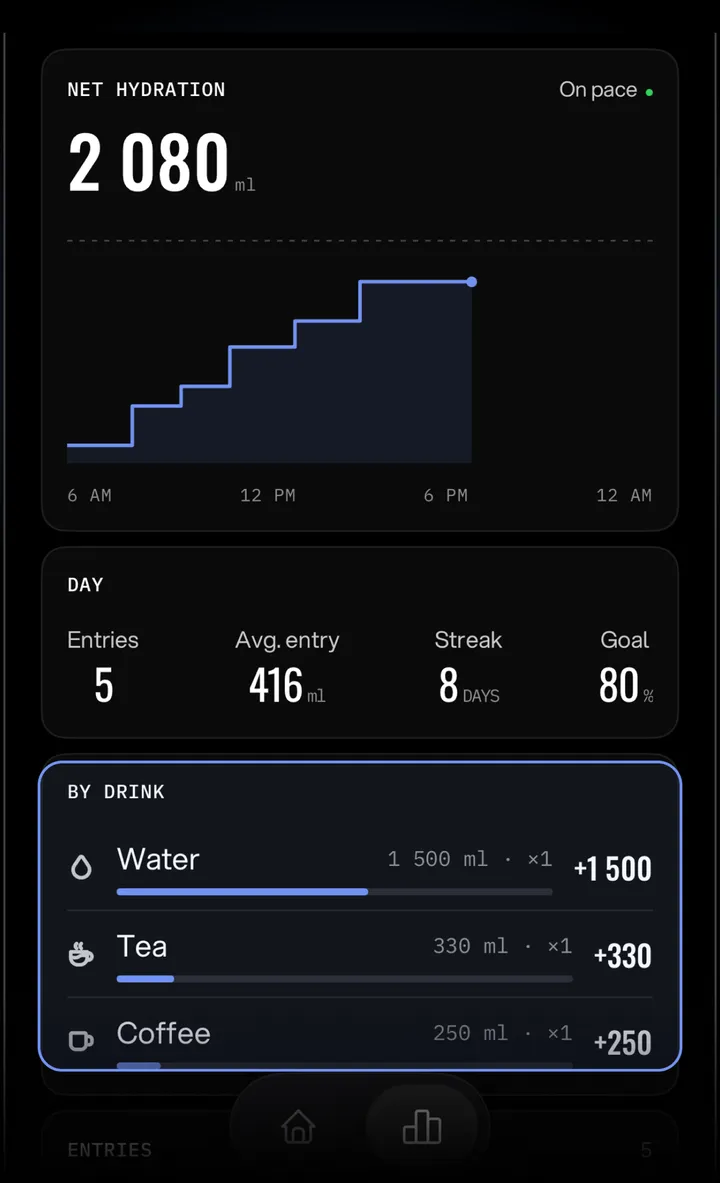
Each drink counts by what your body keeps. Milk and electrolytes hydrate a little better than water; coffee and tea about the same; alcohol takes water away.
Why milk counts more than water
- Water ×1
- Coffee, tea ×1
- Milk ×1.2
- Electrolytes ×1.5
- Beer ×0.6
- Spirits ×−2.2
02Meet Sippy
A drop that fills up as you drink.
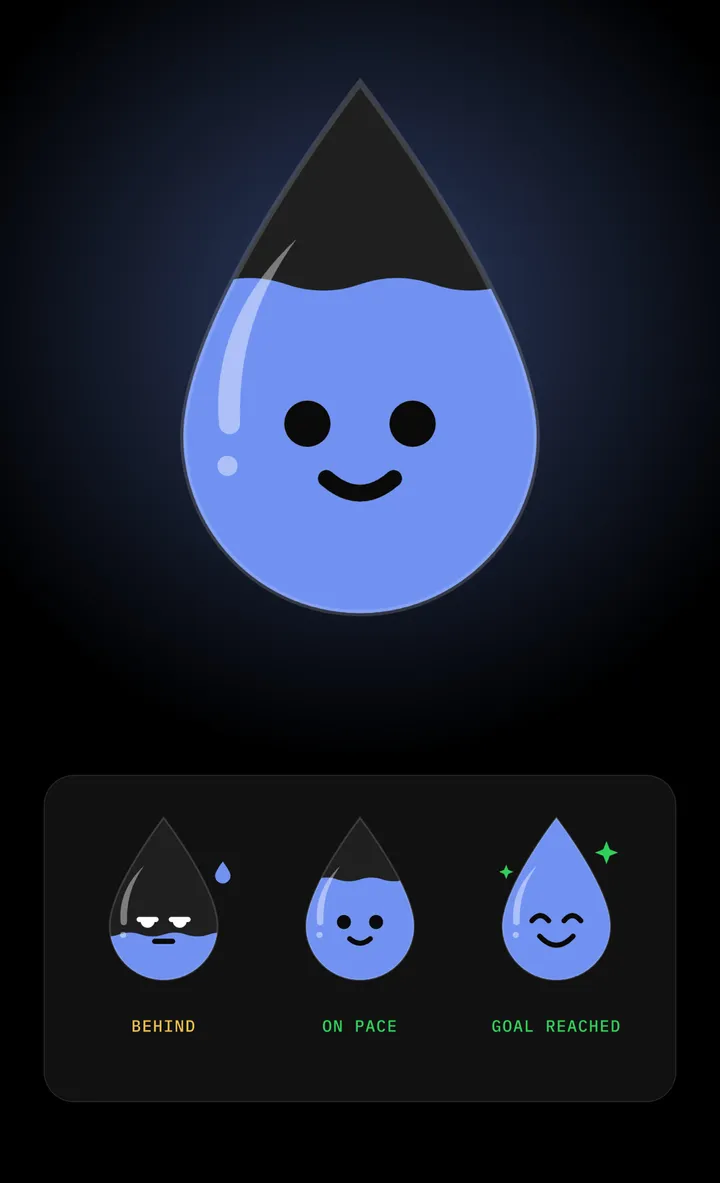
Prefer a friendly face to numbers? Sippy fills with your net hydration and shows how your day is going: smiling on pace, worried when you fall behind, beaming at your goal.
- Sippy or the classic gauge, your choice
- A matching app icon: Hydra, Sippy or Sippy Mono
- In your widgets and on your Apple Watch too
03Alcohol
Alcohol counts too.
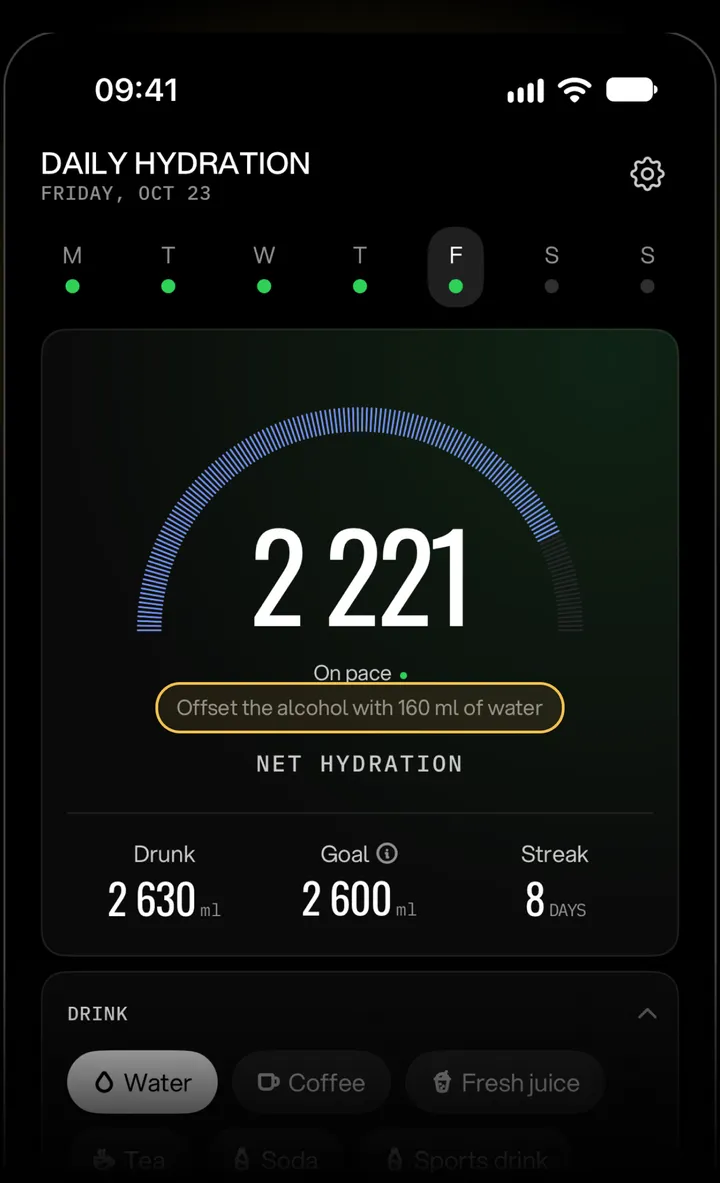
Beer, wine and spirits make you lose water. Hydra subtracts it from your day and tells you exactly how much water brings you back, right when you log the drink.
Offset the alcohol with 160 ml of water
04Daily goal
A goal that adapts.
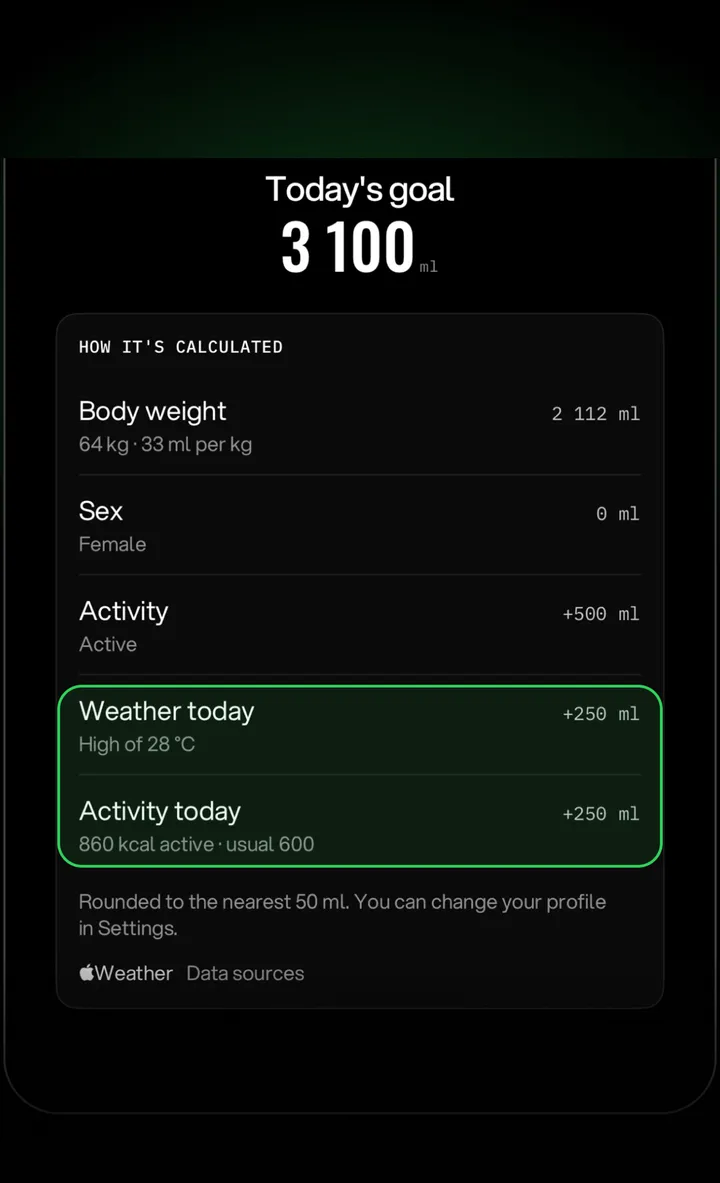
Your goal starts from your weight, sex, activity and climate. Worked out today? Hot outside? Hydra reads Apple Health and today's weather and adds water, explained line by line.
05History
Your month at a glance.
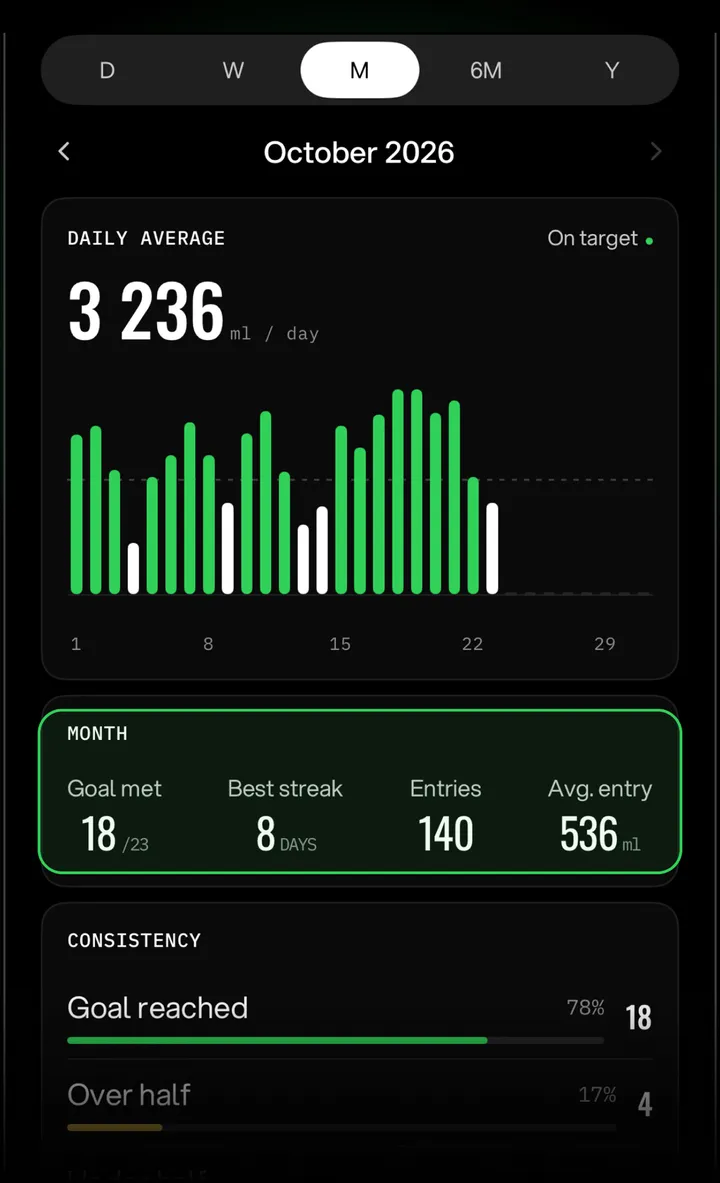
Day, week, month, six months and year: daily averages, streaks, consistency and which drinks helped most. Export everything as a CSV file.
06Reminders
Smart reminders.
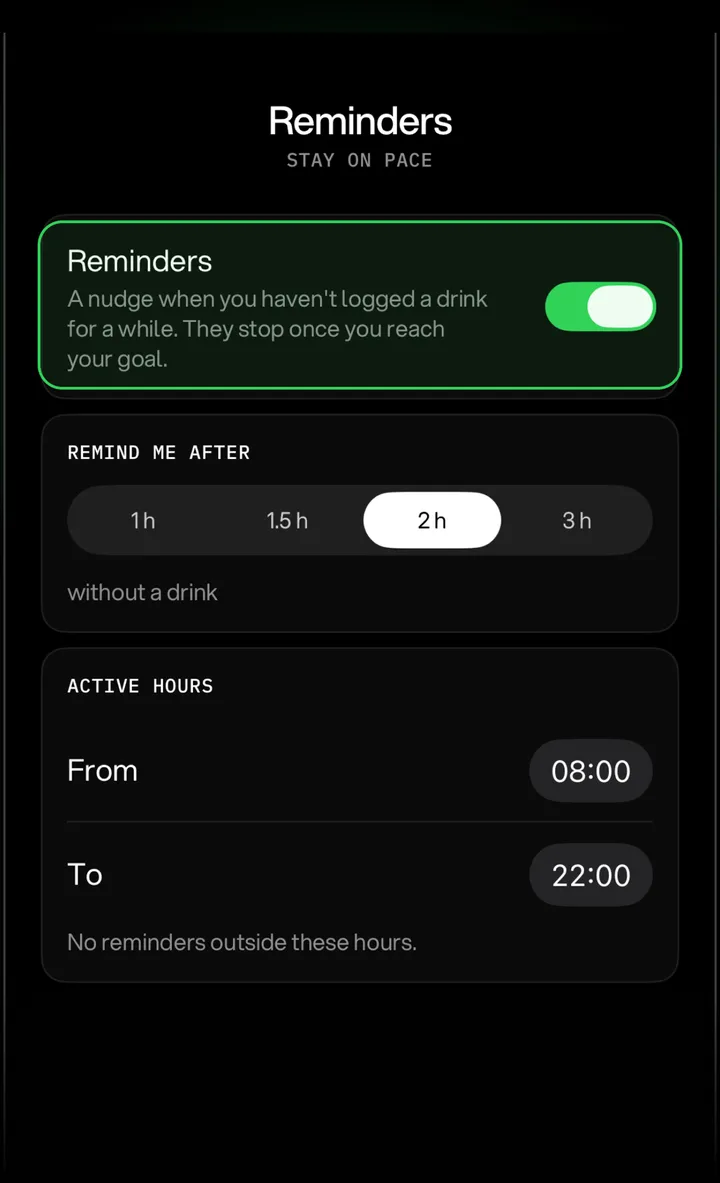
A nudge only when you've gone a while without a drink, only during your active hours, and never after you've reached your goal. Log water straight from the notification.
07Apple Watch
On your wrist.
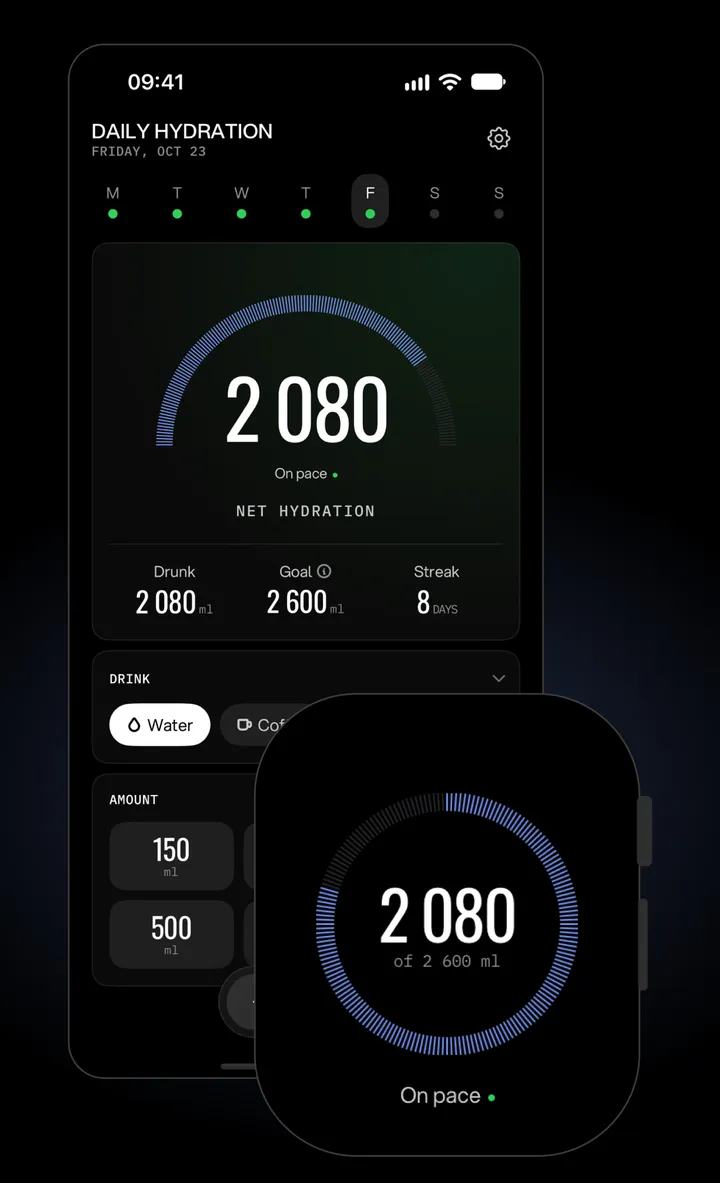
Log a drink in one tap, or pick any amount. See your day at a glance, and add Hydra to your watch face in six styles. Widgets for the Home Screen and Lock Screen, too.
Private by design
Your data stays yours.
No account
Open the app and log your first glass. Nothing to sign up for.
No ads, no tracking
Hydra collects no data. The App Store label says so: Data Not Collected.
Your own iCloud
Sync goes through your private iCloud. Apple Health data never leaves your device.
Free and Pro
Start free.
Every drink, counted
- Log every drink and see today's net hydration
- A standard 2 500 ml goal
- Sippy, widgets and the Apple Watch app
A goal made for you
- Your personal goal, adapting to workouts and weather
- Full history and CSV export
- Smart reminders, custom cups and iCloud sync
Yearly with a 3-day free trial, monthly, or one-time lifetime.
From the blog
Hydration, without the myths.
Your goal
How much water should I drink for my weight?
A table by body weight in kg and lb, and what changes it.
Alcohol
How much water should you drink after alcohol?
Beer, wine and spirits, and the water that brings you back.
Drinks
Does coffee dehydrate you?
What the studies found, and how every drink really counts.
Drink what your body keeps.
Hydra is free on the App Store for iPhone and Apple Watch.